
API token
An API token is your key to the Byl API. It is passed in the Authorization header on every request.
Creating a token
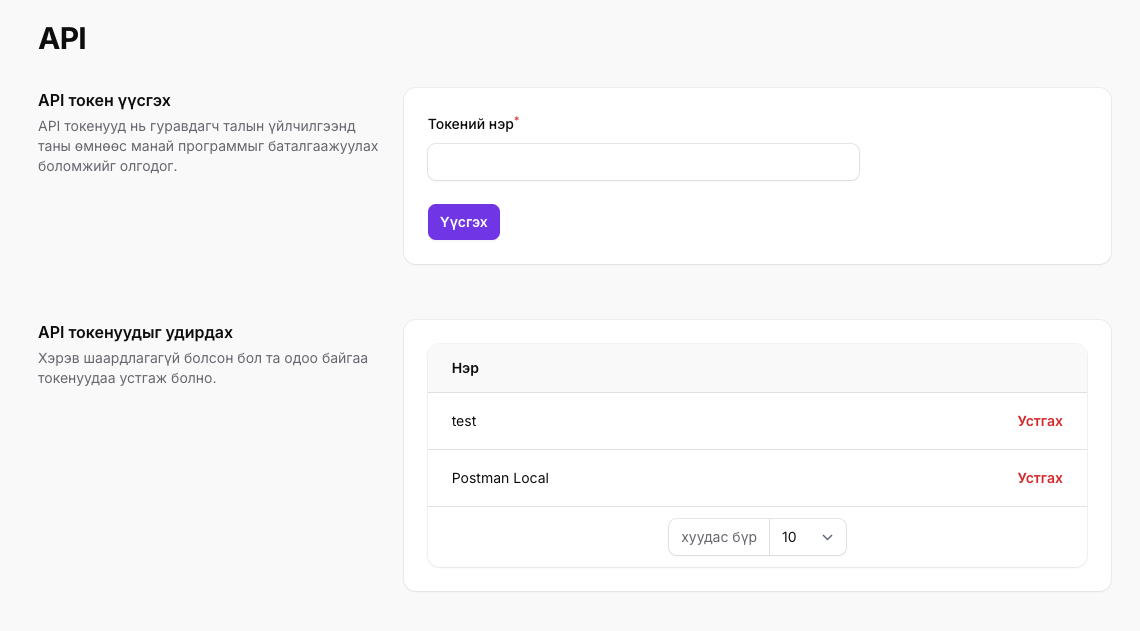
- Sign in to the dashboard.
- Select your project and open Settings → API tokens in the left-hand menu.
- Give your token an easy-to-remember name (for example,
production-server,staging) and create it.
The token is shown only once
After creation, the token is shown to you only once. Copy it immediately and store it in an environment variable on your server or in a secret manager. Avoid hardcoding it or committing it to git.
If a token is leaked or no longer needed, delete it from the same page to revoke it, then create a new one. A deleted token stops working immediately.
Token scope
A token is tied to your user account, not to a project. This means:
- A single token works across every project in the teams you belong to.
- The project ID in the request path determines which project you are accessing.
- Calling an endpoint for a project you are not a member of returns
403.
TIP
Create a separate token for each environment (production, staging, local development) so that revoking one does not interrupt the others.
Calling the API with a token
Pass the token as Authorization: Bearer <token>. The example below creates a new invoice:
BYL_PROJECT_ID="your project ID"
BYL_TOKEN="your API token"

curl -X POST https://byl.mn/api/v1/projects/$BYL_PROJECT_ID/invoices \
    -H "Authorization: Bearer $BYL_TOKEN" \
    -H 'Accept: application/json' \
    -H 'Content-Type: application/json' \
    -d '{ "amount": 1000, "description": "Test invoice" }'
The token identifies you, an invoice is created in the project, and the following response is returned:
{
  "data": {
    "id": 3,
    "status": "open",
    "amount": 1000,
    "description": "Test invoice",
    "number": "DEMO-0011",
    "project_id": 1,
    "due_date": "2026-06-25T05:27:42.000000Z",
    "created_at": "2026-06-24T05:27:42.000000Z",
    "updated_at": "2026-06-24T05:27:42.000000Z",
    "url": "https://byl.mn/h/invoice/3/XN3GbRBxTslkMCeDj10CJtqlHiPfcmZ8"
  }
}
Common errors
If the token is missing, mistyped, or has been deleted, the API returns 401:
{
  "message": "Unauthenticated."
}
Things to check:
- The
Bearerprefix and the space after it are present. - No whitespace or newlines were included when copying the token.
- The
Accept: application/jsonheader is set — otherwise errors may come back as HTML.
If the token is valid but you get 403, your user is not a member of that project's team. See the API overview page for the full list of error codes.