
Project modes: Test and Live
Every Byl project runs in one of two modes — Test or Live.
Test mode
New projects start in Test mode. It lets you build without paying anything or verifying your business: everything works exactly like Live mode, except every transaction is capped at 100₮. This lets you exercise the full payment flow risk-free and see how revenue is recorded.
Warning: Transactions made in Test mode are for testing purposes only and are not considered real payments.

Switching to Live mode
Live mode connects your project to the real payment systems, allowing you to accept transactions of any amount from your customers. Before switching, you must meet three requirements:
- Verify your business
- Activate a plan — choose the plan that fits your needs.
- Set a primary bank account — one of your project's bank accounts must be set as primary (
primary).
Once the requirements are met, enable the "Switch to Live mode" option in your Project settings at any time.
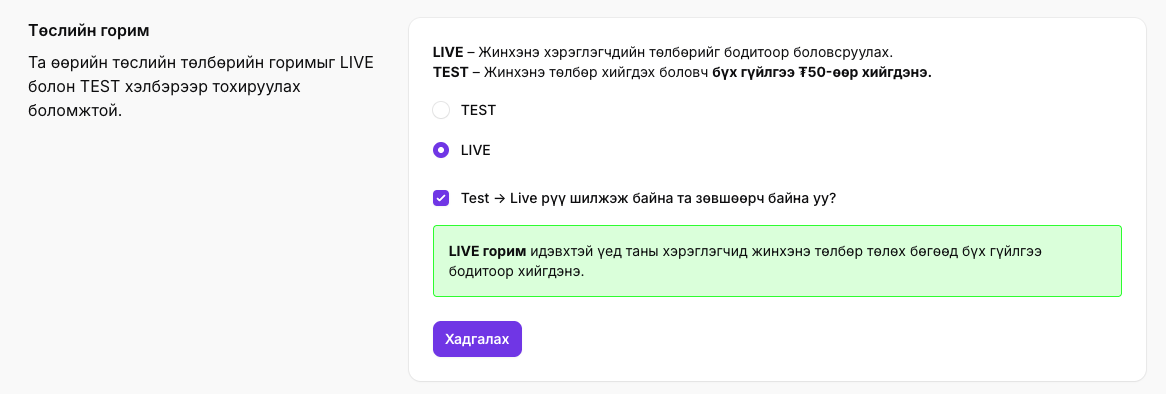
Test vs. Live mode
| Feature | Test mode | Live mode |
|---|---|---|
| Transaction amount | Fixed at 100₮ | Real amounts |
| Business verification | Not required | Required |
| Paid plan | Not required | Must be active |
| Primary bank account | Not required | Required |
| Intended use | Development and testing | Production use |
Next steps
- Verified business — the first requirement for Live mode
- Bank accounts — set up a primary bank account
- Quickstart — the full path from signup to your first payment